AI calorie counters: how they work and how accurate they are
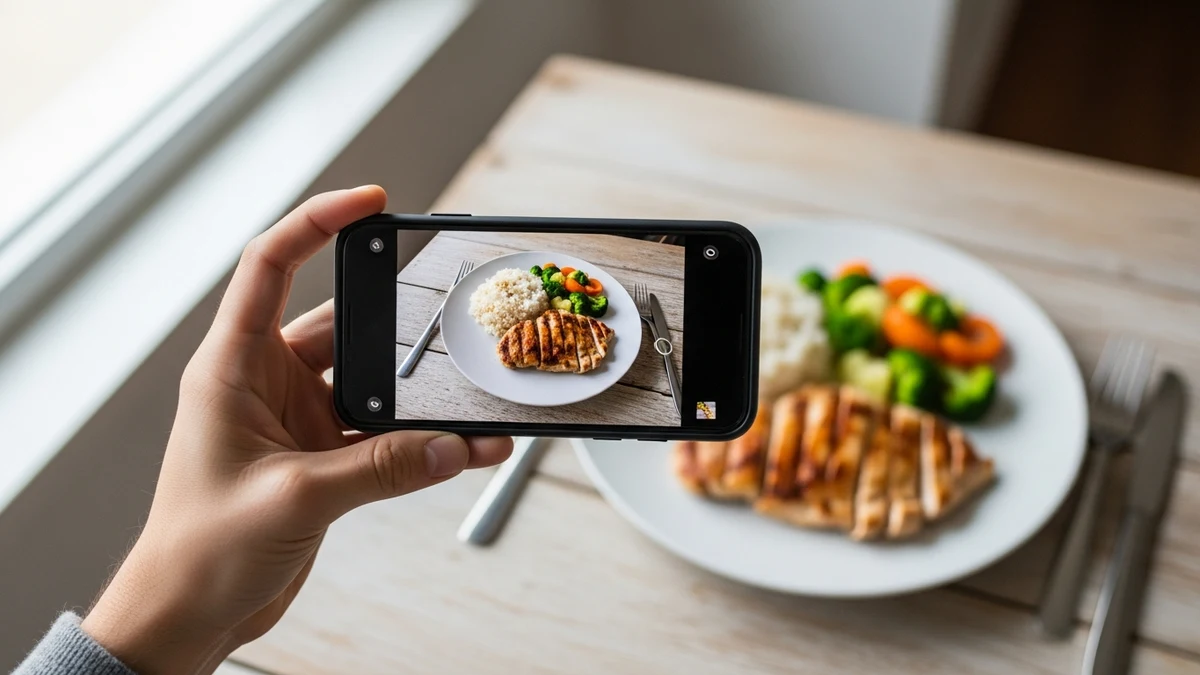
An AI calorie counter estimates the calories and macros of a meal from a photo (or a typed/spoken description) using image recognition and a food database. It's fast and consistent, but it's an estimate: for simple, single foods it tends to be reasonably accurate, while mixed dishes, hidden oils, and sauces push the error much higher. Used daily, the speed and consistency usually matter more than perfect precision.
Your own meal? Snap a photo – the AI estimates calories and macros in seconds. 3 free scans a day, no sign-up.
Keep scanning in the GymLog AI app – with daily targets and history.
Get the app for free →What an AI calorie counter is
A traditional calorie tracker makes you search a database and enter portions by hand. An AI calorie counter shortcuts that: you point your camera at the plate, and a model identifies the foods, estimates portion size, and returns calories and macros. Most apps combine the photo estimate with a food database so you can correct it. Popular examples include Cal AI and SnapCalorie; GymLog AI does the same from a photo, text, or voice note inside a chat.
How accurate is an AI calorie counter?
Accuracy depends almost entirely on the food. A photo gives the model shape, colour, and context, but it can't see oil, butter, sugar, or what's underneath the top layer. Research on image-based calorie estimation reports errors that are modest for plain, separated foods and considerably larger for mixed or hidden-ingredient dishes — a systematic review in Annals of Medicine (2023) found photo-based methods useful but regularly deviating from weighed references, especially for composite meals; across the included studies, relative calorie errors ranged from under 1% for simple foods to about 38% for complex dishes. The practical takeaway: an AI estimate is a fast, good-enough starting point, not a lab measurement. For accuracy-critical foods (oils, nut butters, calorie-dense sauces) a quick manual correction beats trusting the photo alone.
Photo, database, or manual — which logging method wins?
No single method is best for everything. Here's how the common approaches trade off speed against accuracy:
In practice the winning routine mixes them: photo or chat for speed on everyday meals, barcode for packaged food, and manual weighing only when precision really matters. Consistency over weeks beats occasional perfection — see our guide to counting calories from a photo.
Can you use ChatGPT to count calories?
You can: send a general AI model a food photo and it will estimate calories. But general chatbots aren't built for tracking — they aren't grounded in a verified food database, they don't store a daily total, and they don't keep your history or trends. A purpose-built AI calorie counter grounds the estimate in food data, lets you correct it, and logs it to your day automatically. For a one-off guess, a chatbot is fine; for daily tracking, a dedicated app is far more reliable.
Are AI calorie counters free?
Most are freemium: basic logging is free, and the AI photo recognition sits behind a subscription. GymLog AI follows the same model — manual logging via the food database (Open Food Facts, USDA, German BLS) is free, while photo, text, and voice AI recognition and the AI coach are part of Pro (€9.99/month or €99.99/year). Before paying, it's worth comparing options — see the best calorie counting apps.
GymLog AI as an AI calorie counter
GymLog AI works like a chat: snap a photo of your meal, type "chicken bowl with rice", or send a voice note, and the AI estimates calories and macros and adds them to your day. You can always correct the estimate, and your data is stored on EU servers (Frankfurt) with no ads and no data selling. It also logs workouts and answers training and nutrition questions in the same chat — so calorie counting is one part of a single tracker rather than a standalone gadget.
Count calories from a photo with GymLog AI
Snap, type, or speak — the AI estimates calories and macros and logs them to your day. Free to start on iOS.
Download on the App StoreGet it on Google PlaySources
- Höchsmann, C., & Martin, C. K. (2020). Review of the validity and feasibility of image-assisted methods for dietary assessment. International Journal of Obesity. PMC
- Systematic review on photo-based dietary assessment accuracy, Annals of Medicine (2023). PMC
- Open Food Facts — open food products database. openfoodfacts.org