Calorie Scanner: Count Calories from a Photo
Keep scanning in the GymLog AI app – with daily targets and history.
Get the app for free →The calorie scanner estimates dish, calories and macros from a photo – free and without sign-up. According to a systematic review by Shonkoff et al. (2023), average relative errors of AI-based calorie estimates ranged from 0.10 to 38.3 percent depending on the study.
How the calorie scanner works
1. Take a photo
On a phone the camera opens directly; on a computer you can upload an existing photo. Ideally, shoot the meal from above with the whole plate in frame.
2. AI analyzes the meal
The photo is downsized in your browser and sent to an AI model. The model recognizes the dish and ingredients, estimates their amounts in grams and calculates calories and macronutrients.
3. Check and adjust the result
You see calories, protein, carbs and fat, the detected ingredients with grams and a short explanation from the AI. If you ate more or less, adjust the servings.
Example scans
This is what real scanner results look like. The photos are example photos; calories and macros are exactly what the scanner returned on October 7, 2026.
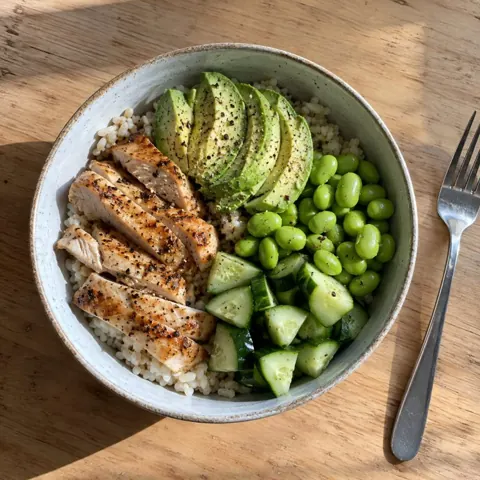
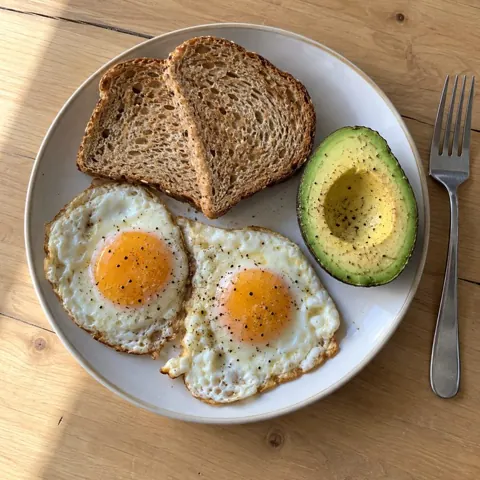
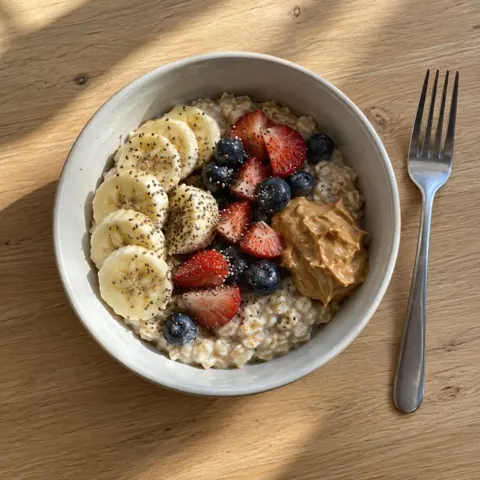
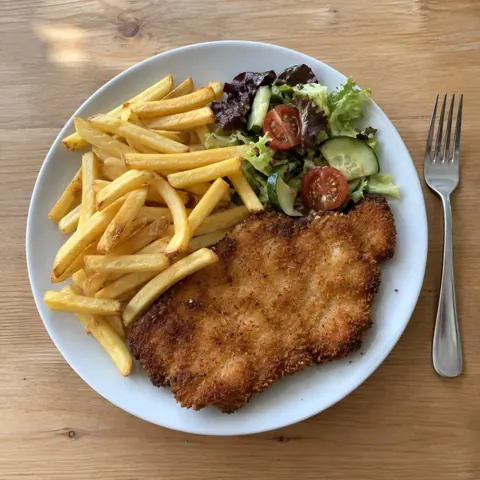
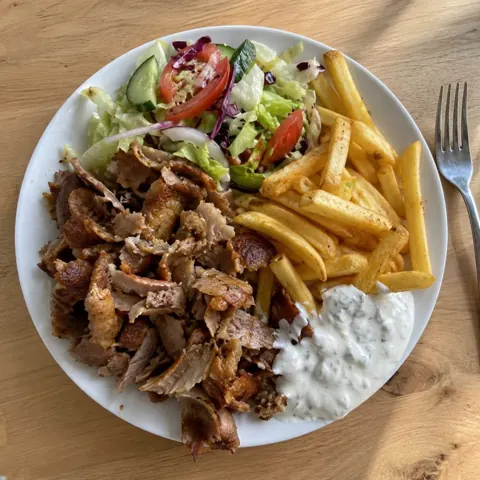
Dishes with fried food or sauces (schnitzel, doner) carry more uncertainty – the scanner reflects that in a lower confidence score.
What the scanner recognizes
The scanner is built for meals without a barcode: home-cooked food, canteen or restaurant dishes, bowls, salads, breakfast and snacks. It detects several components on one plate and lists them separately, such as pasta, sauce and cheese. If no food is visible, the scanner says so instead of inventing values.
Photo, barcode or manual entry?
Each method has its place. For packaged food, the barcode is most accurate because nutrition data comes from the manufacturer. For anything without packaging, a photo is the fastest way.
| Method | Best for | Effort |
|---|---|---|
| Photo scan | Home-cooked meals, canteens, restaurants | One photo per meal |
| Barcode scan | Packaged products with a nutrition label | One scan per product, enter amount |
| Manual | Precisely weighed recipes | Search and weigh every ingredient |
How accurate is the calorie scanner?
Calories from a photo are estimates. In a systematic review, Shonkoff et al. (2023) analyzed 52 studies on AI-based dietary assessment from images. Average relative errors ranged from 0.10 to 38.3 percent for calories and from 0.09 to 33 percent for volume, depending on the study. Errors were lower for single, simple foods than for complex dishes.
The authors conclude that AI methods align with – and have the potential to exceed – the accuracy of human estimates, while noting that the tools need further development for research and clinical use. That is why the scanner also shows its own confidence as a percentage.
Tips for more accurate results
- Shoot from above: all components and the plate size are visible.
- Good light: daylight or bright lighting without strong shadows.
- Whole plate in frame: don’t crop out sides or sauces.
- Before the first bite: partly eaten portions are harder to judge.
- Add hidden ingredients: oil, butter or sugar in drinks after the scan.
Who is the scanner for?
Losing weight: If you want to hold a calorie deficit, one photo per meal gives a quick overview without weighing every ingredient. Building muscle: protein per meal is visible right away; daily needs are covered in the protein guide. On the go: restaurants and canteens rarely show nutrition info, but a photo still gives an estimate.
What happens to the photo?
The photo is sent encrypted to OpenAI and analyzed there. GymLog AI does not store the photo. To prevent abuse, only an irreversible hash of the IP address and a counter are stored for one day. Details are in the privacy policy.
Try it free or use the app?
Two scans per day are free in the browser without sign-up. To track every meal, use the GymLog AI app: meals are logged via photo, voice or chat and matched against daily targets for calories and macros.
More guides and comparisons
How photo calorie counters differ is covered in Cal AI alternative, Yazio vs MyFitnessPal and BitePal vs Yazio. Basics are in How good are AI calorie counters?.
Track every meal in seconds
GymLog AI logs meals via photo, voice or chat – with daily targets for calories and macros.
Download on the App StoreGet it on Google PlaySources
- Shonkoff, E., Cara, K. C., Pei, X. A., et al. (2023). AI-based digital image dietary assessment methods compared to humans and ground truth: a systematic review. Annals of Medicine, 55(2), 2273497. PubMed